
Contents
- 📸 Introduction to Image File Formats
- 🖼️ Types of Image File Formats
- 💻 Compression Methods: Lossy vs Lossless
- 📊 Vector Formats for Graphic Design
- 🔍 Transparency Support in Image File Formats
- 📈 Evolution of Image File Formats
- 🤔 Challenges and Limitations
- 📊 Comparison of Popular Image File Formats
- 📚 Best Practices for Choosing an Image File Format
- 🔮 Future of Image File Formats
- 📊 Conclusion
- Frequently Asked Questions
- Related Topics
Overview
The world of image file formats is a complex and fascinating one, with a multitude of options available for storing and sharing digital images. As of 2022, most image file formats were designed for storing 2D images, but with the rise of 3D imaging, new formats are being developed to support this emerging technology. Image compression is a crucial aspect of image file formats, as it allows for the reduction of file size while maintaining image quality. Digital imaging has become an essential part of our daily lives, and understanding the different image file formats is vital for effective communication and collaboration. The most common image file formats include JPEG, PNG, and GIF, each with its own strengths and weaknesses. For example, JPEG is widely used for photographic images, while PNG is often used for graphics and logos.
🖼️ Types of Image File Formats
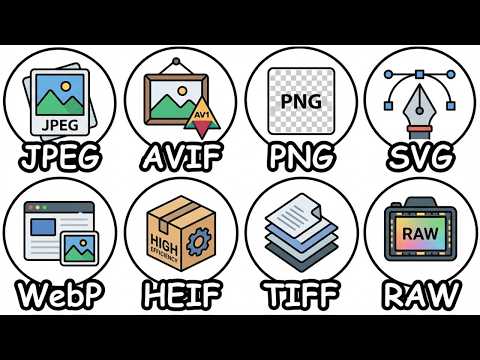
There are numerous types of image file formats, each with its own unique characteristics and uses. Raster graphics formats, such as BMP and TIFF, are used for storing pixel-based images, while vector graphics formats, such as SVG and EPS, are used for storing graphics and illustrations. JPEG and PNG are two of the most widely used image file formats, with JPEG being used for photographic images and PNG being used for graphics and logos. GIF is another popular format, often used for animations and graphics. The choice of image file format depends on the intended use of the image, as well as the level of compression required. Image file format selection is critical for ensuring that images are displayed correctly and efficiently.
💻 Compression Methods: Lossy vs Lossless
Compression methods play a vital role in image file formats, as they enable the reduction of file size while maintaining image quality. Lossy compression methods, such as those used in JPEG and MP3, discard some of the data in the image to reduce the file size, resulting in a loss of quality. On the other hand, lossless compression methods, such as those used in PNG and GIF, compress the data without discarding any of it, resulting in a higher quality image. The choice of compression method depends on the intended use of the image, as well as the level of quality required. Data compression is a critical aspect of image file formats, and understanding the different compression methods is essential for effective image management. For example, Huffman coding is a popular lossless compression algorithm used in many image file formats.
📊 Vector Formats for Graphic Design
Vector formats are widely used in graphic design applications, as they allow for the creation of scalable graphics and illustrations. SVG and EPS are two popular vector formats, used for creating logos, icons, and other graphics. Vector formats are ideal for graphic design, as they enable the creation of high-quality graphics that can be scaled up or down without losing any quality. Graphic design applications, such as Adobe Illustrator and Sketch, often use vector formats to create and edit graphics. The use of vector formats has become increasingly popular in recent years, with the rise of digital design and online media. Vector graphics are essential for creating high-quality graphics, and understanding the different vector formats is vital for effective graphic design.
🔍 Transparency Support in Image File Formats
Transparency support is an essential feature in many image file formats, as it allows for the creation of images with transparent backgrounds. PNG and GIF are two popular formats that support transparency, making them ideal for creating graphics and logos with transparent backgrounds. Transparency support is critical for web design and digital media, as it enables the creation of images that can be used on different backgrounds and platforms. Image editing software, such as Adobe Photoshop and GIMP, often support transparency, allowing users to create and edit images with transparent backgrounds. The use of transparency has become increasingly popular in recent years, with the rise of digital media and online content. Digital media has become an essential part of our daily lives, and understanding the different image file formats is vital for effective communication and collaboration.
📈 Evolution of Image File Formats
The evolution of image file formats has been significant over the years, with new formats emerging to support emerging technologies and applications. JPEG and PNG are two of the most widely used image file formats, with JPEG being used for photographic images and PNG being used for graphics and logos. GIF is another popular format, often used for animations and graphics. The development of new image file formats, such as WebP and HEIF, has been driven by the need for more efficient and flexible formats. Image file format development is an ongoing process, with new formats emerging to support emerging technologies and applications. For example, AVIF is a new image file format that offers improved compression and quality compared to traditional formats.
🤔 Challenges and Limitations
Despite the many advantages of image file formats, there are also several challenges and limitations. File size is a significant concern, as large files can be difficult to store and transmit. Image quality is also a critical aspect, as low-quality images can be unsuitable for certain applications. Compatibility is another challenge, as different devices and platforms may not support all image file formats. Image file format selection is critical for ensuring that images are displayed correctly and efficiently. The choice of image file format depends on the intended use of the image, as well as the level of compression required. Digital imaging has become an essential part of our daily lives, and understanding the different image file formats is vital for effective communication and collaboration.
📊 Comparison of Popular Image File Formats
Comparing popular image file formats can be a complex task, as each format has its own strengths and weaknesses. JPEG is widely used for photographic images, while PNG is often used for graphics and logos. GIF is another popular format, often used for animations and graphics. WebP and HEIF are newer formats that offer improved compression and quality. Image file format selection is critical for ensuring that images are displayed correctly and efficiently. The choice of image file format depends on the intended use of the image, as well as the level of compression required. For example, JPEG is suitable for photographic images, while PNG is suitable for graphics and logos.
📚 Best Practices for Choosing an Image File Format
Best practices for choosing an image file format depend on the intended use of the image, as well as the level of compression required. Image compression is a critical aspect of image file formats, as it enables the reduction of file size while maintaining image quality. Data compression is a critical aspect of image file formats, and understanding the different compression methods is essential for effective image management. Digital imaging has become an essential part of our daily lives, and understanding the different image file formats is vital for effective communication and collaboration. The choice of image file format depends on the intended use of the image, as well as the level of quality required. For example, JPEG is suitable for photographic images, while PNG is suitable for graphics and logos.
🔮 Future of Image File Formats
The future of image file formats is exciting and uncertain, with new formats emerging to support emerging technologies and applications. WebP and HEIF are two newer formats that offer improved compression and quality. AVIF is another new format that offers improved compression and quality compared to traditional formats. Image file format development is an ongoing process, with new formats emerging to support emerging technologies and applications. The rise of artificial intelligence and machine learning is expected to drive the development of new image file formats, with improved compression and quality. For example, AI-powered image compression algorithms can reduce file sizes while maintaining image quality.
📊 Conclusion
In conclusion, image file formats are a critical aspect of digital imaging, and understanding the different formats is essential for effective communication and collaboration. Image compression is a critical aspect of image file formats, as it enables the reduction of file size while maintaining image quality. Data compression is a critical aspect of image file formats, and understanding the different compression methods is essential for effective image management. The choice of image file format depends on the intended use of the image, as well as the level of compression required. For example, JPEG is suitable for photographic images, while PNG is suitable for graphics and logos. As technology continues to evolve, it will be exciting to see how image file formats adapt to meet the changing needs of digital media and online content.
Key Facts
- Year
- 1992
- Origin
- Joint Photographic Experts Group (JPEG)
- Category
- Computer Science
- Type
- Technical Concept
Frequently Asked Questions
What is the difference between lossy and lossless compression?
Lossy compression discards some of the data in the image to reduce the file size, resulting in a loss of quality. Lossless compression, on the other hand, compresses the data without discarding any of it, resulting in a higher quality image. Lossy compression is often used for photographic images, while lossless compression is often used for graphics and logos. The choice of compression method depends on the intended use of the image, as well as the level of quality required.
What is the most widely used image file format?
The most widely used image file format is JPEG, which is used for photographic images. PNG is another popular format, often used for graphics and logos. GIF is also widely used, often for animations and graphics. The choice of image file format depends on the intended use of the image, as well as the level of compression required.
What is the difference between raster and vector graphics?
Raster graphics are pixel-based images, while vector graphics are graphics and illustrations that are created using mathematical equations. Raster graphics are often used for photographic images, while vector graphics are often used for graphics and logos. The choice of graphics type depends on the intended use of the image, as well as the level of quality required.
What is transparency support in image file formats?
Transparency support allows for the creation of images with transparent backgrounds. PNG and GIF are two popular formats that support transparency, making them ideal for creating graphics and logos with transparent backgrounds. Transparency support is critical for web design and digital media, as it enables the creation of images that can be used on different backgrounds and platforms.
What is the future of image file formats?
The future of image file formats is exciting and uncertain, with new formats emerging to support emerging technologies and applications. WebP and HEIF are two newer formats that offer improved compression and quality. AVIF is another new format that offers improved compression and quality compared to traditional formats. The rise of artificial intelligence and machine learning is expected to drive the development of new image file formats, with improved compression and quality.